Mac screen-time control for families
Set Mac limits from anywhere. No iCloud needed.
Set app limits, review real Mac usage, and give extra time from a parent dashboard without sitting at the child's computer.
Approved accounts get a 14-day free trial. No credit card required.
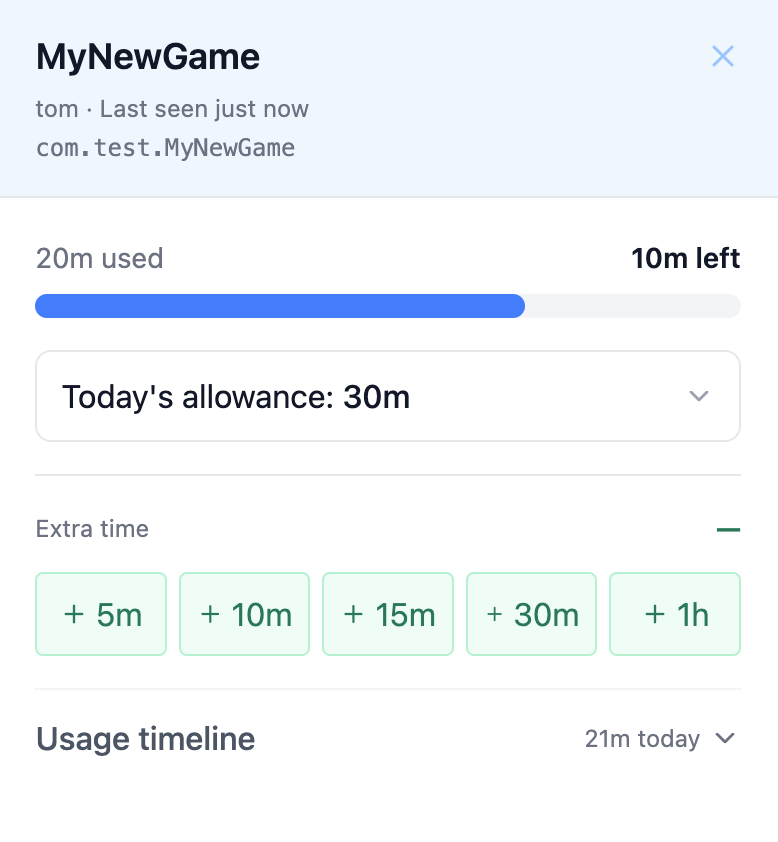
Real usage, not guesses
TempoMinder reports actual app activity from the Mac so your dashboard reflects what was used today.
Limits parents can adjust
Set daily limits, warning time, and temporary extra minutes without touching the child device.
Designed for enrolled Macs
Each Mac syncs and enforces its limits independently. You manage everything from your dashboard.
One install on the Mac. One dashboard for the parent.
TempoMinder tracks which apps the child uses, enforces the limits you set, and reports real activity back so you don't need to look over a shoulder.
- 1
Enroll the Mac once
Generate an enrollment code in the parent dashboard, run the TempoMinder installer on the child's Mac, and enter the code.
- 2
Set per-app daily limits
Pick the apps you want to limit, then set a daily allowance and warning threshold from the dashboard.
- 3
The Mac enforces locally
A background process tracks which apps are in use, applies your limits, and sends a warning before time runs out.
- 4
Review usage and adjust
See today's app activity, add extra time when needed, and rely on offline emergency codes when the Mac cannot sync.
What TempoMinder records
Limits only work if they're based on real activity, so TempoMinder records the minimum needed to enforce them and show you what was actually used.
Captured
- Which app was active and for how long
- When time warnings appeared and when apps were closed
- When the Mac last synced and what limits are in effect
Never captured
- No screenshots or screen recording
- No keystrokes, clipboard contents, or window titles
- No website visits, URLs, page content, or browsing history
Frequently asked questions
- Does TempoMinder need iCloud or Screen Time?
- No. TempoMinder works without iCloud or Apple Screen Time. You enroll the child's Mac once with a code, and the Mac enforces your limits locally while reporting real usage to your dashboard.
- What does TempoMinder record?
- Only which app was active and for how long, when warnings appeared, and when the Mac last synced. It never captures screenshots, keystrokes, clipboard contents, window titles, URLs, or browsing history.
- How many Macs can one family manage?
- One family can enroll up to 5 Macs. The Free plan shows today's app activity for all of them; Premium adds per-app limits and extra-time overrides.
Request early access
We're onboarding families in small batches so we can help with Mac setup and learn what parents need most.
Join the waitlist